
Getting Started with Benchmark Email API
The Benchmark Email API connects your account with the tools you already use—so it’s easier than ever to automate tasks and keep everything in sync. With API access, you can cut down on manual work, streamline your workflow, and manage your email marketing more efficiently, without the extra hassle.
👉 Explore the full developer documentation
About the Benchmark Email API
The Benchmark Email API lets you connect your account to external systems such as CRMs, e-commerce platforms, and other applications.
You can automatically add and update contacts, search and manage lists, and sync your data without manual imports. The API also lets you create and manage your own API keys directly in Integrations> API Keys, with control over access permissions.
API Key Limits
To help keep things secure and manageable, there are limits on how many API keys you can create:
- Free plans can create up to 2 API keys
- Pro plans can create up to 10 API keys
If you reach your limit, you’ll need to deactivate an existing API key to create a new one.
For full technical details, scenario guides, and endpoint references, visit our developer documentation site.
Create and Manage API Keys
Creating an API key is quick and gives you control over how external tools interact with your account.
To create an API key:
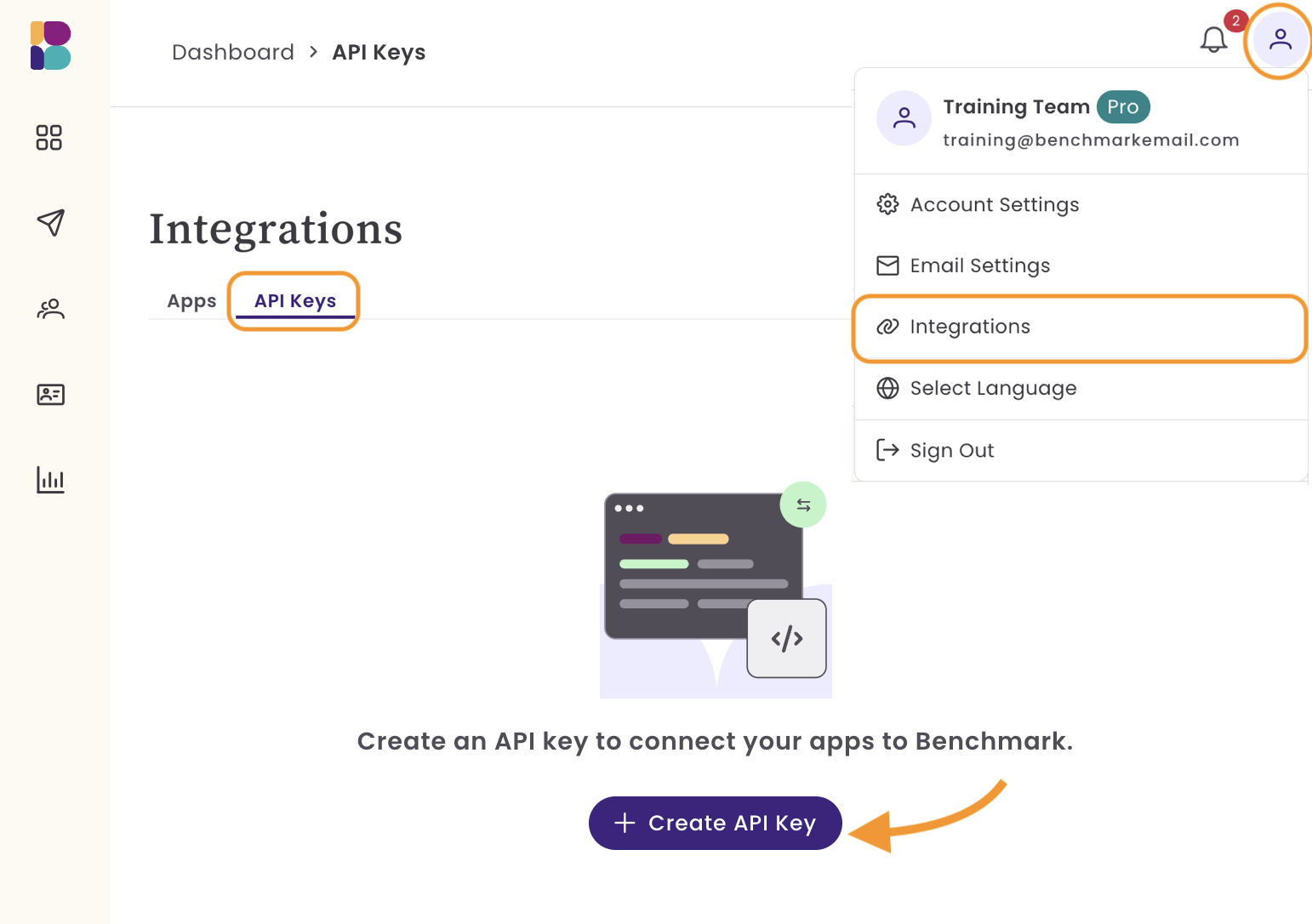
- Go to Integrations and select API Keys.
-
Click Create API Key.
- Enter a Key Name
-
This is for internal use only and helps you identify the key later
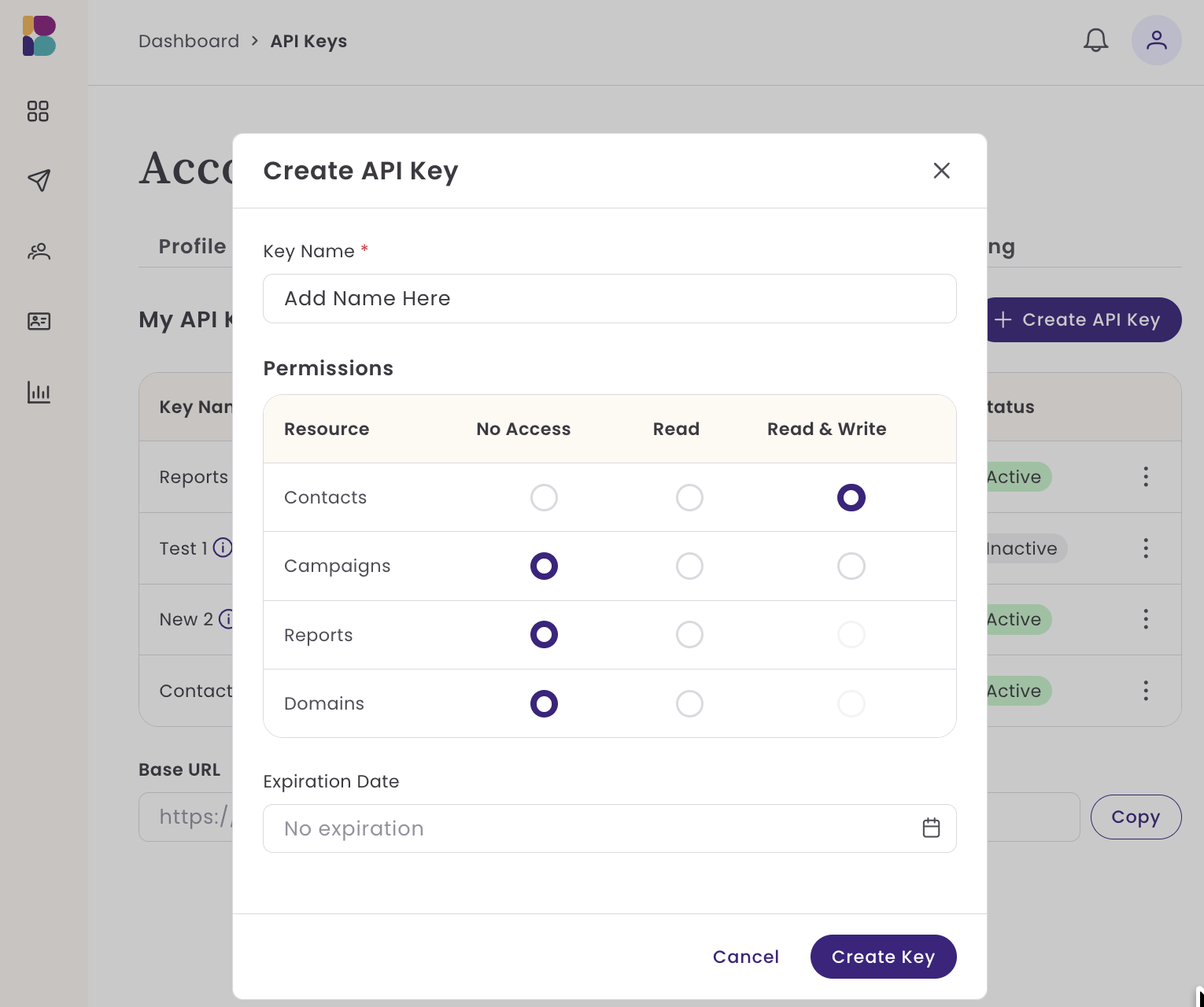
Set your Permissions by choosing the type of resource and access level:
|
Resources |
Access Levels: |
|---|---|
|
|
- Choose an Expiration Date
- Click Create API Key.
To manage an existing API key:
- Click the three-dot menu to the right of the API key
- From there, you can:
- Regenerate the key
- Deactivate the key
- Delete the key
Keeping your API keys organized and limiting permissions to only what’s needed helps maintain security and control.
Benefits of Using the API
- Eliminate manual imports by automatically syncing contacts from your existing systems
- Keep your data up to date across platforms in real time
- Build custom workflows that match your business needs
- Pull email performance into your own dashboards and reporting tools
- Manage contacts and lists externally without logging into Benchmark
Frequently Asked Questions
'
Who should use the API?
The API is best suited for users comfortable working with APIs or those with access to a developer or integration tools.
Where can I find my API keys?
You can create and manage API keys in Integrations> API Keys.
What can I do with the API?
You can sync contacts, manage lists, retrieve email data, and connect Benchmark Email with other tools you use daily.