
Birthday Contact Field
The Birthday field lets you store a contact’s birthday so you can easily send timely, personalized messages. Unlike the regular Date field, the Birthday field type only accepts a month or month + day, enabling you to target contacts on recurring dates like birthdays or anniversaries without needing a year.
Topics Covered in This Article
Before Getting Started
- The Birthday field isn't included in your contact fields by default; to use it you can go to your settings and add it.
- The birthday field only requires the month and day, or the month. If you import a list that includes a year in the Birthday field, we'll ignore it and save only the month and date.
- If you need to record the year of a birthday, create a new custom field and set the field type to Date.
-
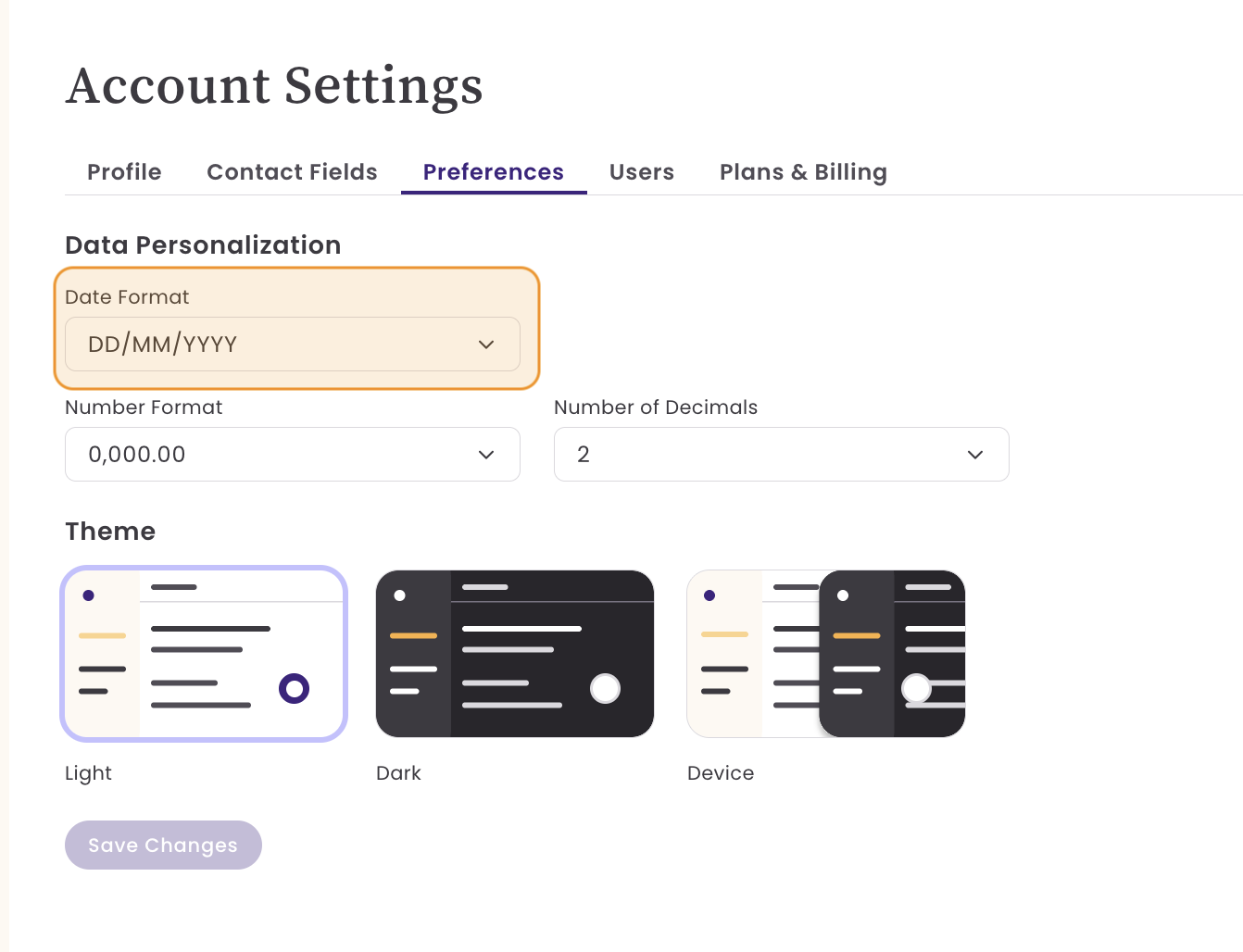
The display order of the month and day will automatically match the Date Format preferences set in your Account Settings.
Add or Edit a Birthday Field
To add or edit your birthday field, go to your Account Settings and select Contact fields. Here you see the fields being used.

To add the Birthday field, click on the +Add Field.

- Select the Birthday field.
- Select your date format. The birthday field can have Month and Day (MM+DD) or only the month. The option you chose is how your birthday field will be displayed on your contacts page.
- For example, MM+DD, January 10, or 01/10, month only, January.
- The field type is automatically selected.
- Select your date format. The birthday field can have Month and Day (MM+DD) or only the month. The option you chose is how your birthday field will be displayed on your contacts page.
- Choose if this will be a required field.
To edit your Birthday field, click on the Pencil icon to the right of your Birthday field.
Filtering with the Birthday Field
When filtering contacts with the Birthday filter, three new options will appear: Month is, Date is, and Is in the next.
- The month is filters contacts whose birthday falls within a specific month.
- For example, show me people whose birthdays are in January.
- Date is filters contacts whose birthday includes a specific month and day.
- For example, show me people whose birthday is on January 15.
- Is in the next finds contacts whose birthday occurs within the next X days from the day the filter is applied.
- For example, if today is Nov 14 and you select “7 days,” it will show people whose birthday is on Nov 21.
Frequently Asked Questions
My list included a birthday field with the month, day, and year, but once uploaded, I only have day and month. Why is that?
The Birthday Field stores either the day and month or just the month. If you want to store the complete birthday, then use a regular custom field with the field type set to Date.